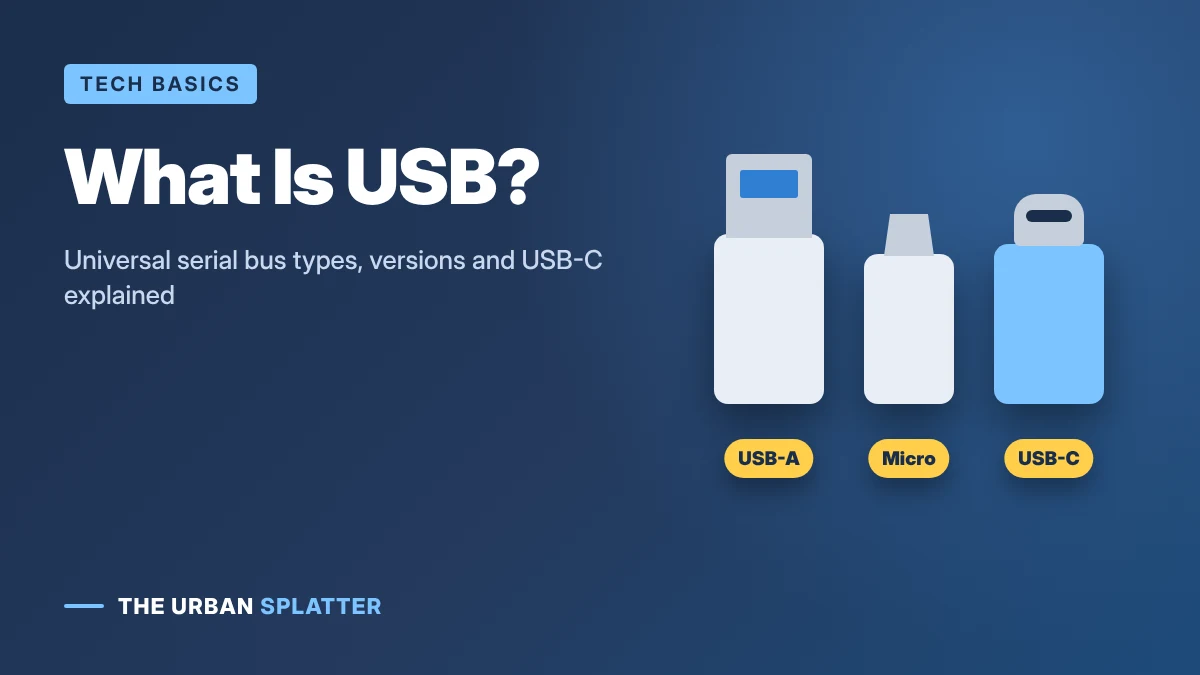
USB stands for Universal Serial Bus, the standard way to connect and charge phones, keyboards, drives, cameras and almost every other gadget. The name sounds technical, but the idea is simple: one common plug and protocol instead of dozens of different ports. This guide explains what universal serial bus means, the different USB connector types, USB versions and speeds, and how to stay safe when you plug in.
In this article
What Does Universal Serial Bus Mean?
- Universal: one standard that works across many devices and brands.
- Serial: data travels one bit after another along the wire, rather than many bits side by side.
- Bus: a shared pathway that carries data and power between devices.
USB was developed in the mid-1990s by a group of companies including Intel, Microsoft, IBM and Compaq, and the first version arrived in 1996. Today the standard is managed by the USB Implementers Forum (USB-IF).
USB Connector Types
The connector is the physical shape of the plug. It is separate from the speed, which depends on the USB version.
| Connector | What it looks like | Where you see it |
|---|---|---|
| USB-A | Flat, rectangular; only fits one way up | Computers, chargers, TVs, flash drives |
| USB-B | Square with beveled top | Printers and some older peripherals |
| Mini-USB | Small, trapezoid shape | Older cameras and MP3 players |
| Micro-USB | Thin, slightly tapered | Older Android phones, speakers, power banks |
| USB-C | Small, oval and reversible | Modern phones, iPhone 15 and later, laptops, tablets, consoles |
USB Versions and Speeds
USB versions have had confusing names over the years, so the USB-IF now encourages simple speed labels. The table below follows the breakdown from Plugable’s USB standards guide.
| Version | Speed label | Maximum speed |
|---|---|---|
| USB 1.0 / 1.1 | Low-Speed / Full-Speed | 1.5 Mb/s and 12 Mb/s |
| USB 2.0 | High-Speed | 480 Mb/s |
| USB 3.2 Gen 1 (formerly USB 3.0) | USB 5Gbps | 5 Gbps |
| USB 3.2 Gen 2 (formerly USB 3.1) | USB 10Gbps | 10 Gbps |
| USB 3.2 Gen 2×2 | USB 20Gbps | 20 Gbps (USB-C only) |
| USB4 | USB 40Gbps | 40 Gbps (USB-C only) |
| USB4 Version 2.0 | USB 80Gbps | 80 Gbps (USB-C only) |
A blue plastic tab inside a USB-A port often means USB 3.x, while black or white usually means USB 2.0. A USB-C plug does not tell you the speed on its own; check the device or cable specifications.
USB-C vs USB-A
| USB-A | USB-C | |
|---|---|---|
| Shape | Larger, one way up | Small, reversible |
| Top speeds | Up to 10 Gbps in practice | Up to 80 Gbps with USB4 |
| Charging power | Usually a few watts to around 12 W | Up to 240 W with USB Power Delivery |
| Video output | Rare | Common on laptops and tablets |
USB-C can carry data, video and lots of power through one cable, which is why most new devices use it. Because the European Union now requires USB-C charging on most new phones and many other devices sold there, it is fast becoming the one plug for everything.
USB-C vs Thunderbolt
Thunderbolt 3, 4 and 5 use the same USB-C shape but add extra features and guaranteed high speeds, especially for external displays and fast storage. Thunderbolt ports usually show a small lightning-bolt icon. A Thunderbolt port works with regular USB-C devices, but a regular USB-C port may not support Thunderbolt-only accessories.
USB Safety Tips
- Avoid unknown USB drives. Never plug in a flash drive you found or were sent unexpectedly; it can contain malware.
- Be careful with public charging ports. Security agencies have warned about “juice jacking”, where tampered USB ports or cables try to access phone data. Use your own charger and a wall outlet, or a charge-only cable or USB data blocker.
- Tap “Don’t Allow” or “Charge only” if your phone asks whether to trust or share data with a device you do not recognize.
- Buy certified cables. Cheap, uncertified cables and chargers can overheat or damage devices.
Frequently Asked Questions
What is USB used for?
USB connects devices to computers and chargers so they can transfer data, get power or both. Keyboards, mice, phones, printers, drives and game controllers all commonly use USB.
Is USB-C the same as USB 3?
No. USB-C is a connector shape, while USB 3 is a speed standard. A USB-C port might run at USB 2.0 speed or at USB4 speed, depending on the device.
Can I plug a USB 2.0 device into a USB 3 port?
Yes. USB is backward compatible, so the device will work, but only at the slower device’s speed.
What does the USB symbol mean?
The trident-style symbol represents the universal serial bus. Extra marks or numbers next to it, such as “10” or “SS”, usually show the speed.
Final Thoughts
USB, short for Universal Serial Bus, is the everyday standard that connects and charges most of our devices. Remember that the plug shape (A, B or C) and the version (2.0, 3.2, USB4) are different things, and be careful with unknown drives and public charging ports. For more plain-English tech guides, explore the latest articles on The Urban Splatter.